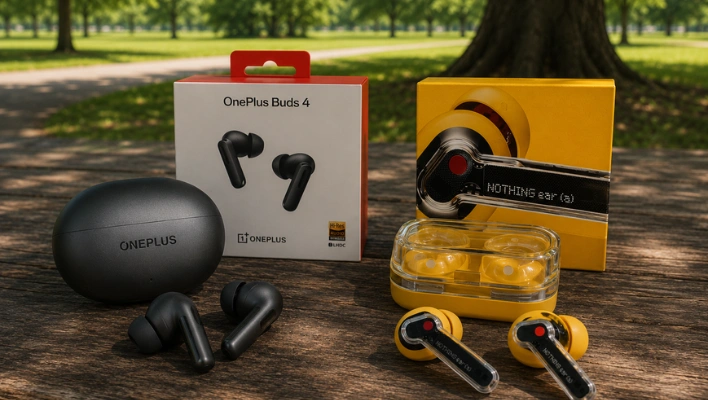
It’s surprising how many people end up with the wrong earbuds—not because they chose poorly, but because they rushed the decision. You hear a sound you like within the first minute and think, “This is definitely it!” But then, a few weeks later, you’re left wondering why you stopped reaching for them. The OnePlus Buds 4 and the Nothing Ear (a) are two perfect examples of how easy it is to get trapped in that mindset.
They’re similarly priced and aimed at the same type of buyer, yet they’re founded on completely different ideas about what quality sound really feels like.
Also see:
- Style or Substance? Nothing Ear (a) vs OnePlus Buds 3
- OnePlus Buds 3 vs Nothing Ear 2: Which Earbuds to Choose?
Design and Build
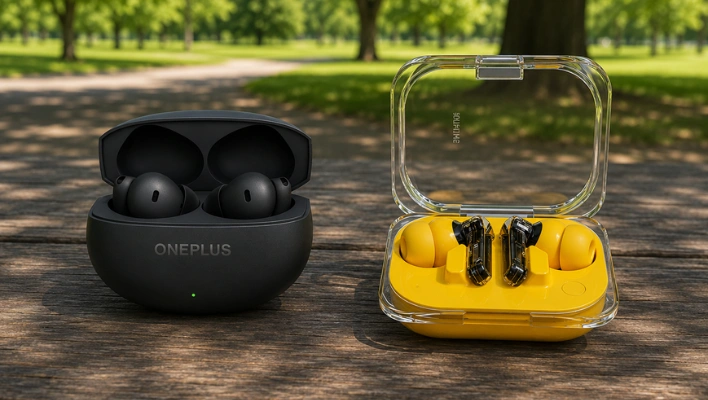
The OnePlus Buds 4 definitely aim to catch your eye. Their case is sleek and compact, making it super easy to toss into your pocket without a second thought.
The earbuds themselves sport a clean, minimalist design that fits snugly without sticking out in an awkward way. They strike a nice balance—nothing too flashy, but certainly not dull. For the price, they feel quite premium.
On the other hand, the Nothing Ear (a) has a more unique vibe. Its transparent design lets you peek at the inner workings, and if you’re familiar with the brand, you’ll spot them right away. These are the kind of earbuds that spark conversations on the train. Whether that’s a plus or a minus is up to you—some folks love to stand out, while others prefer their earbuds to blend in.
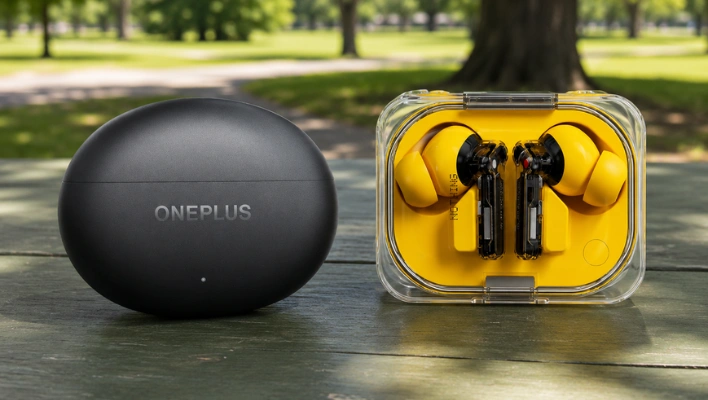
When it comes to build quality, both options feel sturdy. You won’t worry about them falling apart after just a few months of use. The OnePlus does have a slight advantage in water resistance, which is something to consider if you often deal with sweat or rain.
Fit is a personal thing, so your mileage may vary. However, the Nothing Ear (a) tends to feel lighter in the ear, which is a big plus for long listening sessions. The OnePlus fits securely as well, but you might notice it a bit more while wearing it.
Everyday Use
Once the novelty wears off, how do these earbuds actually hold up day to day?
The OnePlus Buds 4 is built for people who move fast. The water resistance is better, so rain and sweat aren’t a worry. The case is small and fits easily in your pocket. Quick charge is there for those moments when you forgot to plug in the night before. It’s a capable, ready-for-anything kind of earbud.
The Nothing Ear (a) is built for people who just need it to be there. Battery life is solid. The earbuds are light enough that you forget they’re in. Multi-point means switching between your phone and laptop happens without fuss. It never does anything to annoy you — and some days, that’s the whole job.
One does more. The other asks less. Both get the basics right.
Sound Quality
The OnePlus Buds 4 hits you right away.
The bass is punchy. The highs are crisp. Little details in the music feel like they’re jumping out at you. It sounds exciting — like the earbuds are working hard to impress you. And honestly? They do.
The Nothing Ear (a) is quieter about it. The bass is still there, but it doesn’t show off. Vocals sound natural, like the singer is just in the room. The highs don’t feel sharp or tiring. It’s smooth — not boring, just easy to listen to.
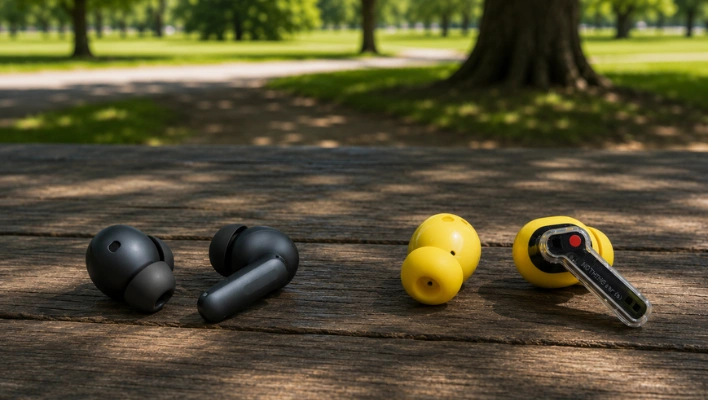
Here’s the problem. When you’re testing earbuds side by side for five minutes, the OnePlus wins every time. That extra punch and brightness just sounds like “better.” But earbuds don’t live in five-minute demos. They live in your ears for hours.
After a long commute or a two-hour listening session, the Nothing Ear (a) is the one that feels effortless. The OnePlus can start to feel like it’s trying too hard.
If you love bass-heavy music and want your earbuds to sound exciting, go with the OnePlus. If you just want music to sound like music — nothing pushed, nothing missing — the Nothing Ear (a) is the better call.
Noise Cancellation
These two handle noise cancellation in ways that feel almost opposite.
The OnePlus Buds 4 goes all in. It pushes background noise down fast and hard. AC hum, engine rumble, subway noise — gone. You put them in and the world just gets quiet. If you commute every day and you want silence the second you sit down, this is built for you.
The Nothing Ear (a) is gentler about it. It reduces noise without making your ears feel sealed off. No weird pressure. No that-balloon-in-your-head feeling. You put them in and you can breathe.
Here’s the thing most people don’t realize about strong ANC — it can be exhausting over time. Some people wear it for an hour and feel drained without knowing why. The pressure builds up slowly.
The OnePlus wins the first minute. The Nothing Ear (a) wins the third hour. If you wear earbuds for long stretches, that matters more than you’d think.
Microphone Quality
Call quality is the thing nobody talks about until they’re on a work call and their voice sounds like it’s coming from inside a fish tank.
Both earbuds are fine in quiet rooms. The real test is background noise — wind, street noise, coffee shops. Neither one is going to embarrass you, but the gap between them in noisy environments is close enough that it comes down to your specific situation. If calls are a big part of your day, try to hear samples before you decide.
App and Customization
The OnePlus Buds 4 comes with the HeyMelody app, and it gives you real control. A proper EQ with actual sliders. Hearing personalization. Bass settings. 3D audio. If you’re the type who adjusts things before you even press play, you’ll love it.
The Nothing Ear (a) uses the Nothing X app, and it keeps things simple. Basic EQ, ANC controls, a fit test, multi-point connection. No deep menus, no rabbit holes. You set it up in two minutes and you’re done.
Neither is wrong. It comes down to who you are.
If tweaking and personalizing your gear is part of how you enjoy it, the OnePlus app is genuinely fun. If you just want it to work without thinking about it, the Nothing app is cleaner and faster.
More settings doesn’t always mean better. Sometimes it just means more time in a menu.
OnePlus Buds 4 vs Nothing Ear (a): Specs Comparison
| Category | OnePlus Buds 4 | Nothing Ear (a) |
|---|---|---|
| Driver Setup | 11mm woofer + 6mm tweeter | 11mm dynamic driver |
| Active Noise Cancellation | Adaptive ANC up to 55dB | ANC up to 45–49dB |
| Bluetooth | Bluetooth 5.4 | Bluetooth 5.3 |
| Audio Codecs | LHDC 5.0, AAC, SBC | LDAC, AAC, SBC |
| Battery (Earbuds) | Up to 11h (ANC off) | Up to 10h (ANC off) |
| Total Battery (with Case) | Up to 45h (ANC off) | Up to 44h (ANC off) |
| Fast Charging | 10 min = ~11h (with case) | 10 min ≈ ~10h (with case) |
| Water Resistance | IP55 | IP54 |
| Microphones | 3 mics per earbud | 3 mics per earbud |
| Special Features | 3D Audio, Dual-device, Low latency (47ms) | Dual-device, ChatGPT integration, Low latency |
Which Should You Buy?
Get the OnePlus Buds 4 if: You want music that sounds punchy and exciting. You like tweaking settings and making things your own. You want strong ANC that works immediately. You move around a lot and need something durable.
Get the Nothing Ear (a) if: You want music that sounds natural and easy on the ears. You’d rather just put them in and get on with your day. You wear earbuds for long periods and comfort matters as much as specs. You want a clean, simple app experience.
Best Deal:
- OnePlus Buds 4: View on Amazon
- Nothing Ear (a): View on Amazon

Nick, the Co-founder of Earbuds Arena, is a seasoned freelance tech journalist with over ten years of experience covering wearables, apps, headphones, and gadgets. When he’s not immersed in the tech world, you’ll likely find him unwinding with video games, going for a run, or enjoying a game of soccer on the field.