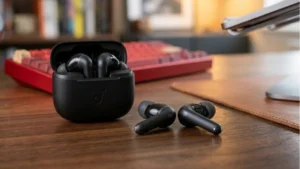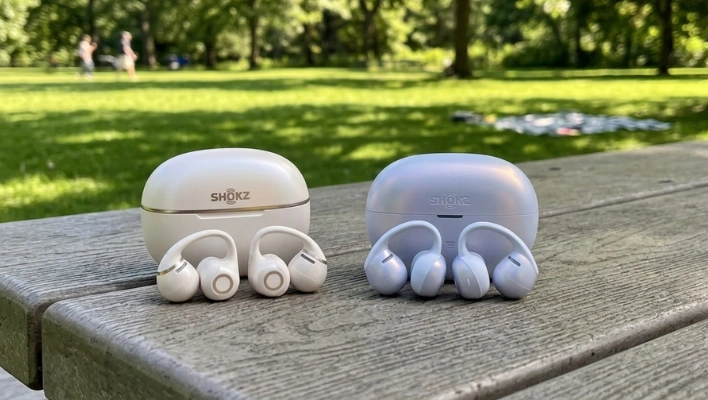
Shokz launched two new clip-on earbuds at the same time, which is either a brilliant move or a confusing one depending on how you look at it.
The OpenDots 2 and OpenDots Air landed in China a few weeks ago and went on sale everywhere else June 4th.
They look nearly identical, they’re worn the same way, and they both sit in the open-ear category that’s been quietly taking over the wireless earbud market.
But they’re not the same product, and the differences matter more than the similar packaging might suggest.
Short verdict: the OpenDots 2 is the better earbud in almost every measurable way. The Air is cheaper and still decent.
But if you want to know whether the upgrade is worth it — and what you actually lose by going budget — that takes a bit more explaining.
They Look Almost the Same, and That’s Fine
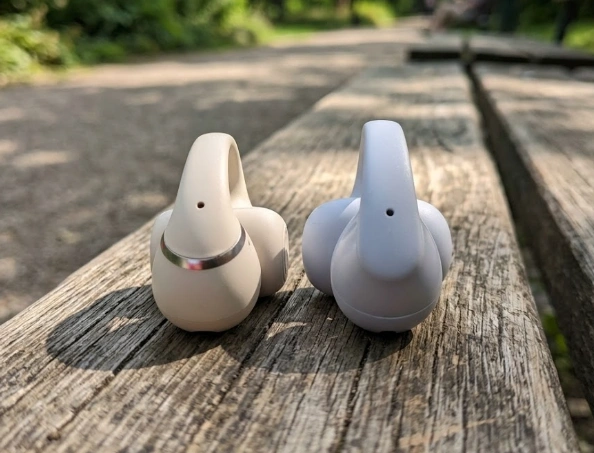
The clip-on form factor is the whole identity of both earbuds. No ear hooks, no tips going into your ear canal — just a bud that clips to the outer ear and sits there, directing sound in through air conduction. It’s a style that’s been picking up momentum recently, and Shokz has gotten genuinely good at making it work.
Both buds are light enough that you forget you’re wearing them. The OpenDots 2 comes in at 6.4g per bud; the Air is a negligible 6.3g. The nickel-titanium arc bridge grips your ear with consistent pressure — not tight enough to be uncomfortable, but secure enough that they stay put during a workout or a commute.
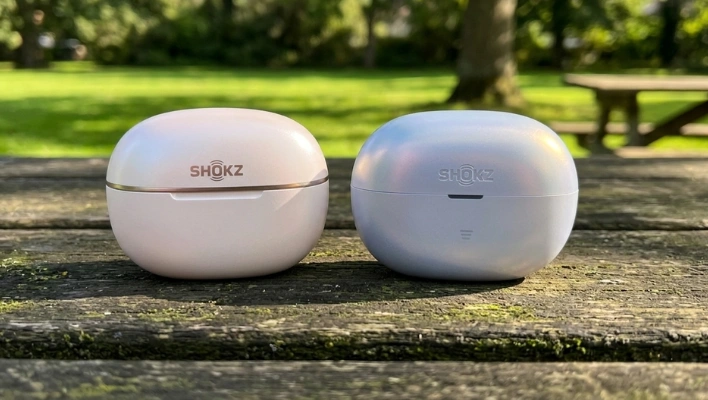
One small but real advantage both models share over some competitors: they feel equally snug on both ears. That sounds like a given, but asymmetric fit — where one side sits looser than the other — is more common than it should be, and it’s the kind of thing that quietly ruins an otherwise fine pair of earbuds over time.
Color options are where the two models differ cosmetically. The OpenDots 2 comes in pearl white, gray, and black. The Air also comes in black but adds a purple finish that honestly looks pretty good.
Neither earbud will look out of place, and both cases are compact enough to slide into a front pocket without bulk.
Water Resistance Is a Real Difference, Not a Marketing One
The OpenDots 2 is rated IP57. That means dust-tight and submersion-resistant up to a meter of water for 30 minutes — so if you drop them in a sink or get caught in a downpour, you’re fine. The case is IP55, which handles rain and spray without issue, just don’t submerge it.
The OpenDots Air is rated IP55 on the earbuds themselves, which covers splashes and sweat but not submersion. The case has no IP rating at all. That’s not a dealbreaker for most people, but if you run in the rain regularly or just tend to be rough on your gear, it’s worth knowing before you buy.
The Audio Gap Is Where It Gets Interesting
Both earbuds use air conduction — sound is projected toward your ear from the outside rather than pumped directly into the canal. Shokz’s DirectPitch technology, present in both models, keeps audio leakage surprisingly low.
Even at high volumes in a quiet room, the person next to you won’t hear much. That’s not magic, it’s engineering, and it works well enough that these are genuinely usable in an office.
But the OpenDots 2 has noticeably better sound hardware. It runs Bass Sphere 2.0, which cuts distortion by 70 percent compared to the original Bass Sphere tech the Air inherits from the first-generation OpenDots. Two 11.8mm drivers sit inside a spherical acoustic chamber, and Shokz claims the combination performs on par with a single 16mm driver.
For open-ear earbuds — a category that has historically been politely mediocre in the audio department — that’s a meaningful claim.
Then there’s Dolby Atmos, which the OpenDots 2 has and the Air simply doesn’t. It adds a spatial quality to music and video that makes stereo content feel wider and more enveloping. It’s not something everyone will care about equally, but it’s a real difference in everyday listening, and once you’re used to it, going back to standard stereo on open-ear buds feels noticeably flat.
The OpenDots 2 makes this a front-and-center feature in its app, and based on real-world listening it does make the experience louder and fuller.
Microphones: One Has a Bone Conduction Mic, One Doesn’t
The OpenDots 2 uses three microphones — two standard and one bone conduction — plus AI noise processing. That combination does a genuinely good job of isolating your voice during calls even in noisy environments. The bone conduction mic reads the vibrations from your skull rather than just picking up ambient sound, which means background noise has a harder time polluting what the other person hears.
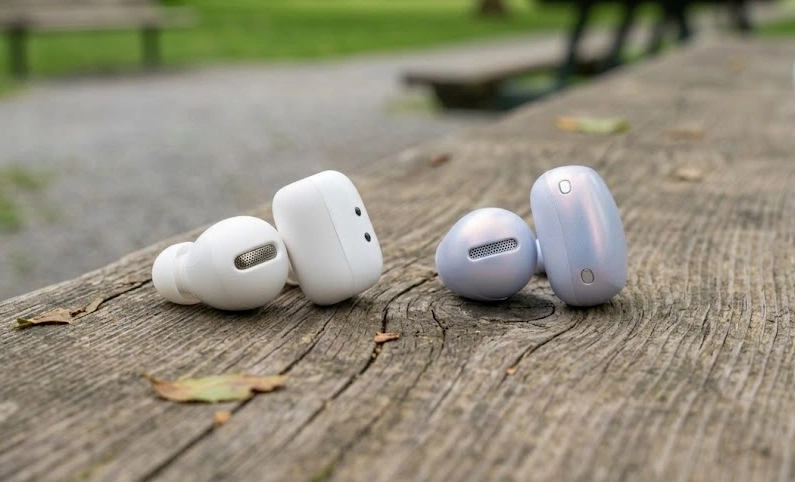
The OpenDots Air gets two standard mics and the same AI processing, no bone conduction. It handles calls fine in most everyday situations — walking around a busy street, sitting in a coffee shop. It’s not bad. It’s just not as robust, and in genuinely loud environments like a train platform or a windy street, the difference would be audible to whoever you’re calling.
Battery Life Is Close, but the 2 Has the Edge
Ten hours of playback from the OpenDots 2, nine from the Air. Both cases provide three additional full charges, giving you 40 hours total with the 2 and 36 with the Air. That’s a slim gap, and both numbers are more than enough for most people’s week.
Where the OpenDots 2 separates itself more meaningfully is fast charging. Five minutes in the case gives you two full hours of playback. That’s not a spec that sounds impressive until the morning you grab your earbuds and they’re dead, realize you have eight minutes before you need to leave, and remember this feature exists. A full charge takes about an hour for the buds themselves.
The OpenDots 2 case also supports wireless charging, which is convenient if your phone supports reverse wireless charging or you already have a wireless pad on your desk. The Air’s case is wired only via USB-C.
The App Does the Job, With One Annoying Omission
Both earbuds connect via Bluetooth 6.1 with Fast Pair support and maintain a stable connection up to around 30 meters. The Shokz app works with both, offering battery monitoring, firmware updates, and EQ customization across four presets — Standard, Vocal, Bass, and Private — plus a five-band custom equalizer.
The OpenDots 2 gets two extra app features: Find My Earbuds and fully customizable controls. The defaults are sensible enough — squeeze the back of either bud to pause or resume, double-squeeze right to skip forward, double-squeeze left to skip back, squeeze-and-hold to adjust volume — so most people won’t feel compelled to dig into the settings. But having the option is better than not.
One missing feature that applies to both models: there’s no per-earbud left-right balance adjustment in the app. If you need to offset your balance, you’d have to do it at the system level on your phone, which creates conflicts if you use other headphones with different audio setups. It’s a gap that feels like an oversight, and hopefully Shokz adds it in a future update.
Both earbuds also feature Dynamic Ear Detection — they can figure out which ear they’re clipped onto and adjust the stereo output accordingly, so you don’t have to worry about putting the wrong bud on the wrong ear. It’s a small quality-of-life detail that makes the clip-on format feel more polished.
Shokz OpenDots 2 vs OpenDots Air: Specs Comparison
| Specification | Shokz OpenDots 2 Flagship | Shokz OpenDots Air |
|---|---|---|
| Price | $199.95 / £179 | $129.95 / £129 |
| Weight (per bud) | 6.4g | 6.3g |
| Colors | Pearl White, Grey, Black | Daybreak Purple, Black |
| Driver Technology | Bassphere™ 2.0 — dual 11.8mm drivers in spherical chamber | Bassphere™ 1.0 — single driver |
| Distortion Reduction | 70% reduction (redesigned diaphragm) | Standard |
| Dolby Audio | ✔ | ✘ |
| Sound Leakage Tech | DirectPitch™ + MirrorPitch™ | DirectPitch™ |
| Microphones | Triple-mic (2 standard + 1 bone conduction) + AI noise reduction | Dual-mic + AI noise reduction |
| Earbud IP Rating | IP57 (submersion up to 1m / 30 min) | IP55 (splash & dust resistant) |
| Case IP Rating | IP54 (splash resistant) | Not rated |
| Wireless Charging (Case) | ✔ Qi wireless + USB-C | USB-C only |
| Earbud Battery Life | 10 hours | 9 hours |
| Total Battery (with case) | 40 hours | 36 hours |
| Fast Charging | 5 min = 2 hours playback | Not specified |
| Full Charge Time (buds) | ~1 hour | ~1 hour |
| Bluetooth Version | 6.1 | 6.1 |
| Bluetooth Range | ~30m | ~30m |
| Fast Pair | ✔ | ✔ |
| Dynamic Ear Detection | ✔ | ✔ |
| EQ Modes | Standard, Vocal, Bass, Private + Custom 5-band EQ | Standard, Vocal, Bass, Private + Custom 5-band EQ |
| Customizable Controls | ✔ (via Shokz app) | ✔ (via Shokz app) |
| Find My Earbuds | ✔ | ✘ |
| Charging Cable | USB-C | USB-C |
So Which One Should You Actually Buy?
If you’re working with a tighter budget and mostly use earbuds for podcasts, calls, and casual music on the commute, the OpenDots Air is a solid choice. It’s comfortable, the battery is good, calls are handled well enough, and the open-ear design does exactly what it’s supposed to.
But the OpenDots 2 is the more complete product by a clear margin. Better audio hardware, Dolby Atmos, stronger water resistance, faster charging, wireless charging case, a superior mic setup, and Find My support — none of these are minor additions stacked together. The Dolby and audio upgrades alone change the day-to-day listening experience in a way you’ll actually notice.
If the price difference between the two is manageable for you, the OpenDots 2 is the one to get. It’s not a close call.
Best Deal:
OpenDots 2: View on Amazon

Nick, the Co-founder of Earbuds Arena, is a seasoned freelance tech journalist with over ten years of experience covering wearables, apps, headphones, and gadgets. When he’s not immersed in the tech world, you’ll likely find him unwinding with video games, going for a run, or enjoying a game of soccer on the field.